zE('messenger:set', 'conversationFields', [{ id: '9767644331930', value: window.location.href }]);
Skip to main content
How can I change my notifications?
Dwight
Web Dashboard
- Click your name in the top right, and select "Notification Settings" from the drop-down.
- Your notification schedule will be found on the left. This schedule is unique to your account and won't affect other users.
- You can choose how you'd like to receive a notification from this page as well.
Mobile App
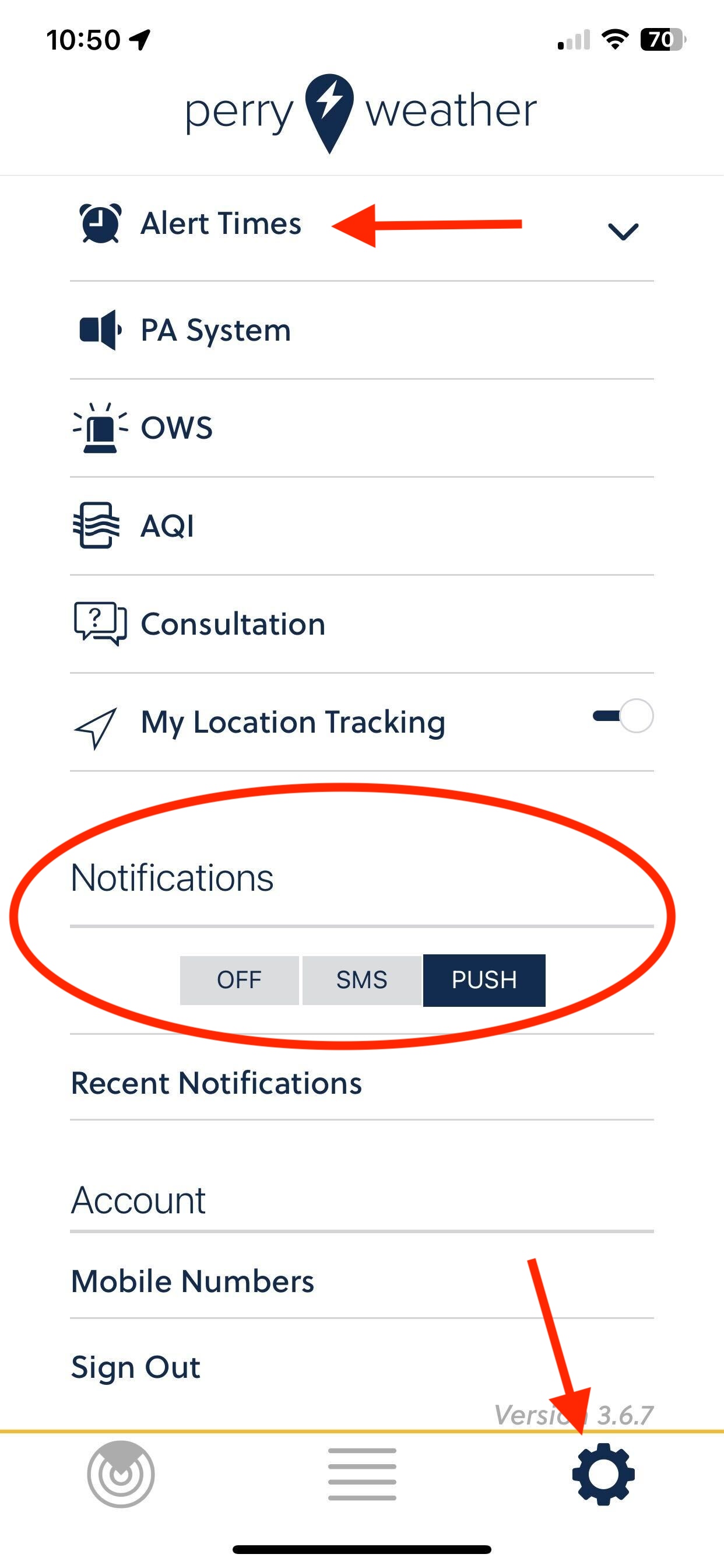
- Tap the settings wheel in the bottom right corner.
- Tap the Alert Times dropdown from the top to adjust your notification schedule. This schedule is unique to your account and won't affect other users.
- You can choose how you'd like to receive a notification from this page as well.

Comments
0 comments
Please sign in to leave a comment.